
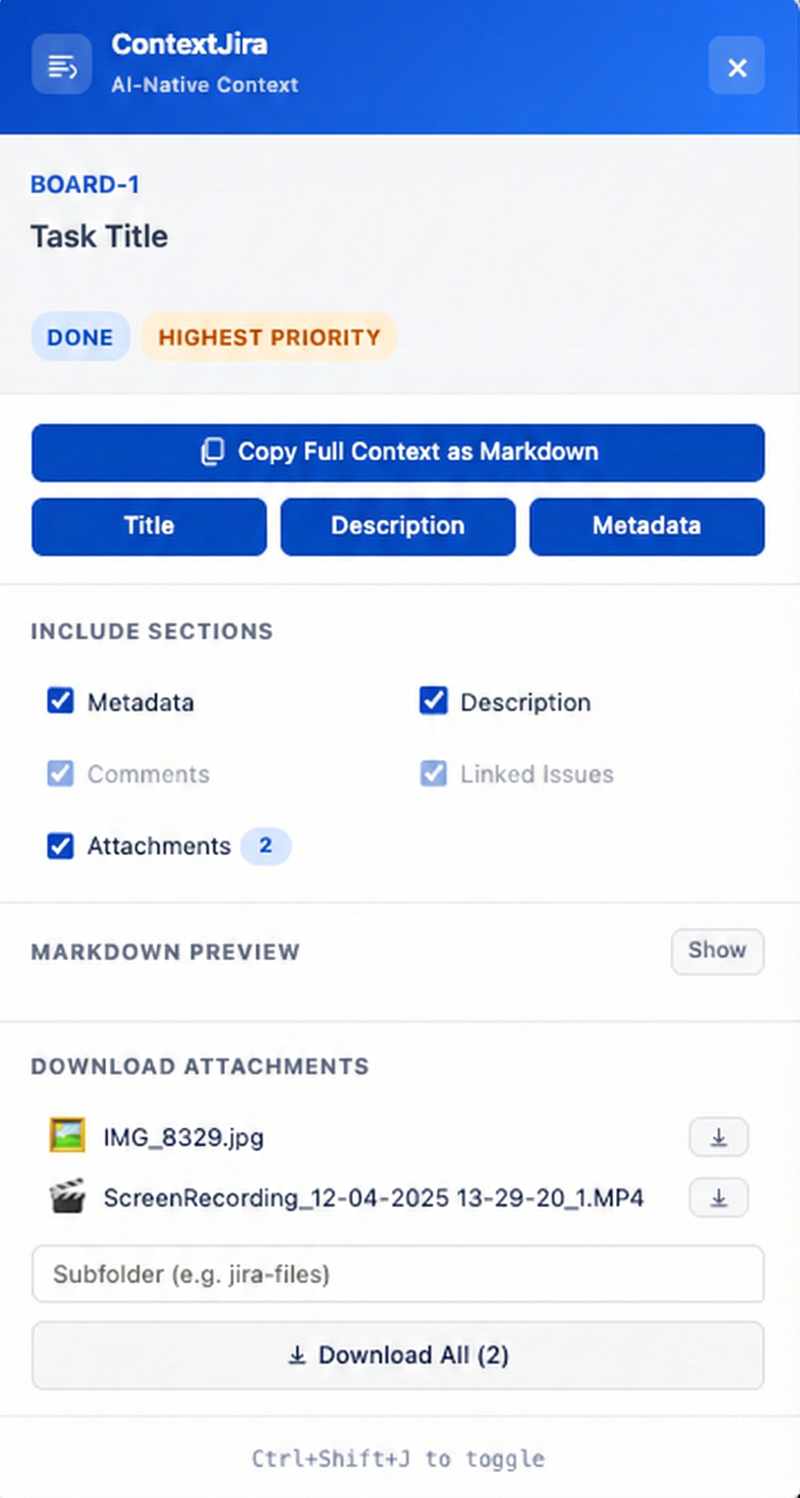
built this out of frustration. every time i needed to feed a Jira ticket into an LLM — Claude, ChatGPT, whatever — i'd spend minutes manually copying fragments. title from here, description from there, scroll down for comments, check the metadata. paste it all together, reformat, lose half the context. repeat for every ticket.
so i built ContextJira. a Chrome Extension that sits on any Jira page and extracts the full issue into clean, structured Markdown with one click.
what it extracts
- issue key + title as the top-level heading
- metadata block — type, status, priority, assignee, reporter, sprint, story points, epic, dates
- full description with proper Markdown formatting — headings, lists, code blocks, tables, links, images all preserved
- comments with authors and timestamps
- linked issues with relationship types
- attachments listed by filename
everything an LLM needs to understand the full context of a ticket. no manual reformatting.
how it works
open any Jira issue, click the floating button (or Ctrl+Shift+J on Mac, Ctrl+Shift+K on Windows), and the panel slides in. from there:
- Copy Full Context as Markdown — the main action. one click, entire issue in your clipboard
- Title / Description / Metadata — quick copy buttons for individual sections
- Section toggles — include or exclude metadata, comments, linked issues, attachments
- Markdown preview — see exactly what you're copying before you paste
- Attachment downloads — individual or batch, with optional subfolder
the extension auto-detects Jira pages (Cloud, Server, Data Center) and only injects when relevant. lightweight detector runs first, full extraction loads on demand.
the output
what you get in your clipboard:
markdown# PROJ-123: Fix login redirect loop
## Metadata
- **Type:** Bug
- **Status:** In Progress
- **Priority:** High
- **Assignee:** Jane Doe
- **Reporter:** John Smith
- **Sprint:** Sprint 24
- **Story Points:** 3
## Description
Users are experiencing an infinite redirect loop when...
## Comments
### Jane Doe (2025-12-15T10:30:00Z)
Investigated — the issue is in the OAuth callback handler...
## Attachments
- screenshot.png
- error-log.txt
paste that into any LLM and it has full context immediately. no ambiguity, no missing fields, no broken formatting.
why Markdown
LLMs parse Markdown natively. structured headings, bullet lists, and bold labels give the model clear signal about what each piece of information is. compared to raw text or HTML, Markdown context leads to better responses because the model can distinguish metadata from description from comments without guessing.
open source. Manifest V3. works on Chrome, Edge, Brave, Arc, and any Chromium browser.